Curriculum Vitae Web
A full-stack web application that replaces the original desktop-only CV Manager with a multi-user, browser-based platform. Clinical trial teams can manage research experience across multiple sites, process documents, and collaborate in real time — all with role-based access control and a complete audit trail.
The Problem
The original desktop CV Manager worked well for individual users, but clinical research organizations needed a collaborative solution:
- Multiple coordinators needed simultaneous access to the same study database.
- Admins needed to control which users could view or edit each clinical site.
- Document processing (Update/Inject, Redact) had to work in a browser without installing Python.
- All changes needed to be audit-logged for compliance.
- The system needed to be accessible from any device without client installation.
Solution Overview
Multi-User Sites & Studies
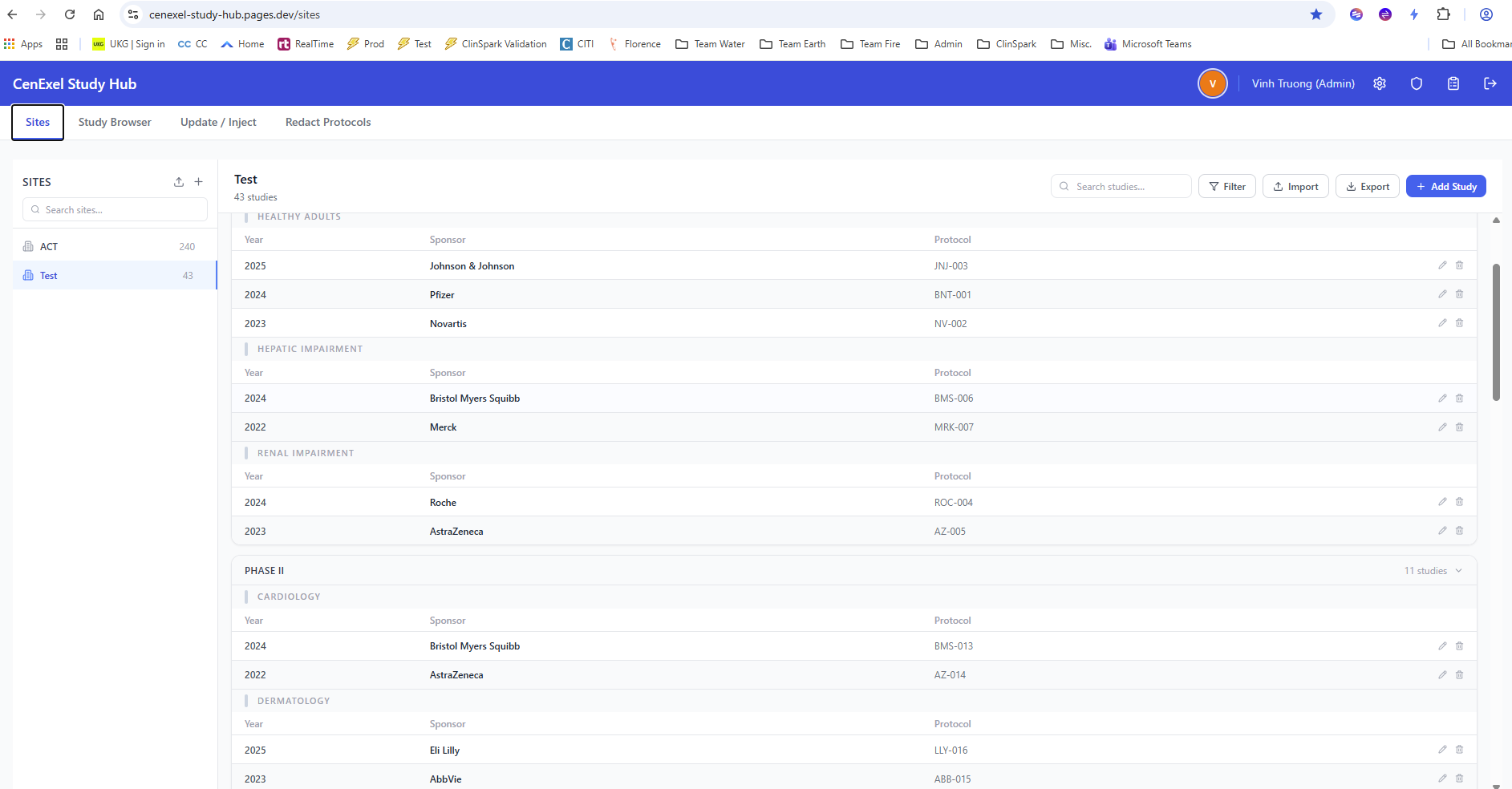
- Per-site study databases with full CRUD operations
- Import/export between Excel and the web database
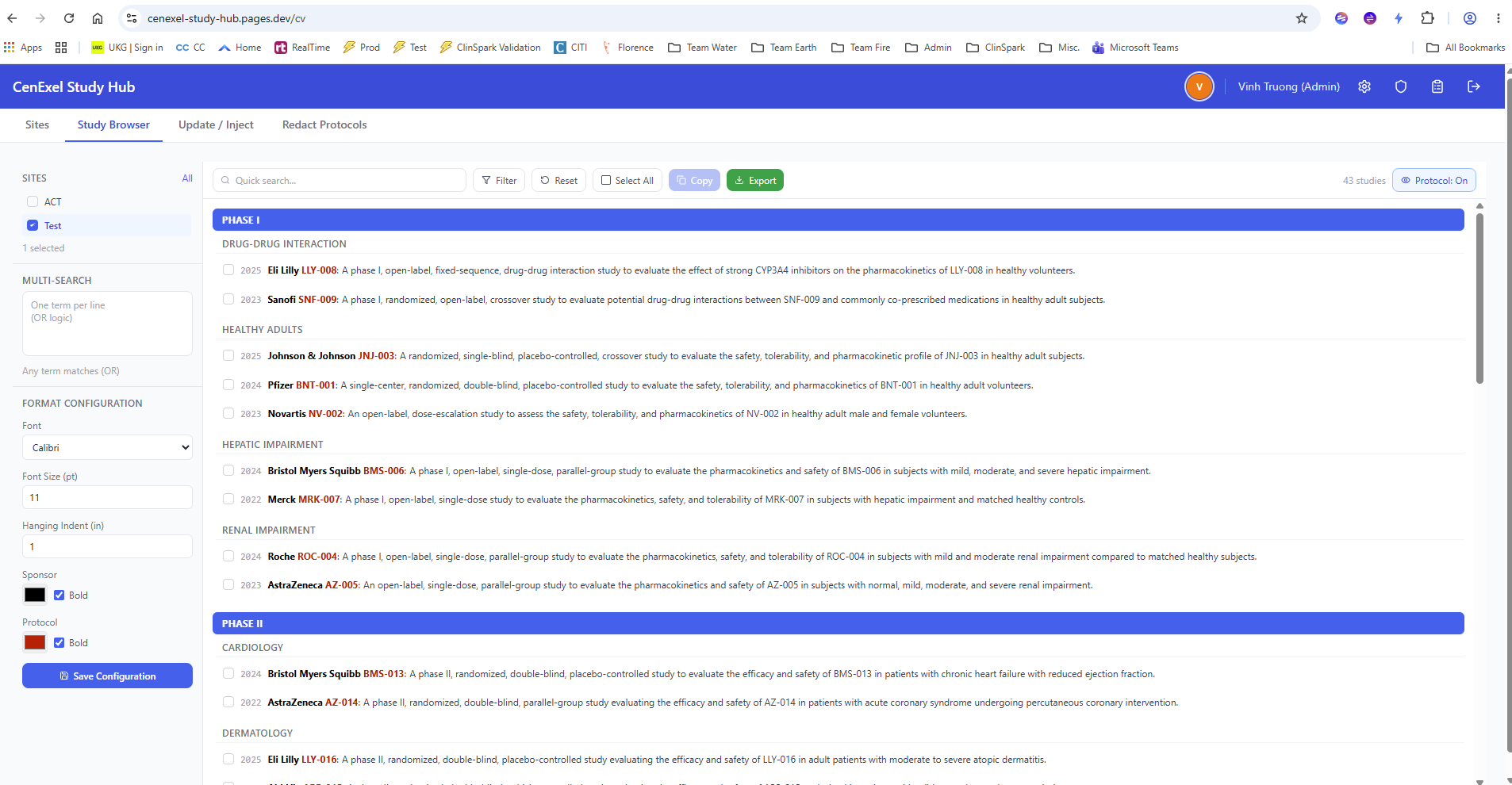
- Search, filter, and category-based grouping
- Compressed study descriptions to minimize database footprint
- Per-user category ordering and display preferences
Document Processing
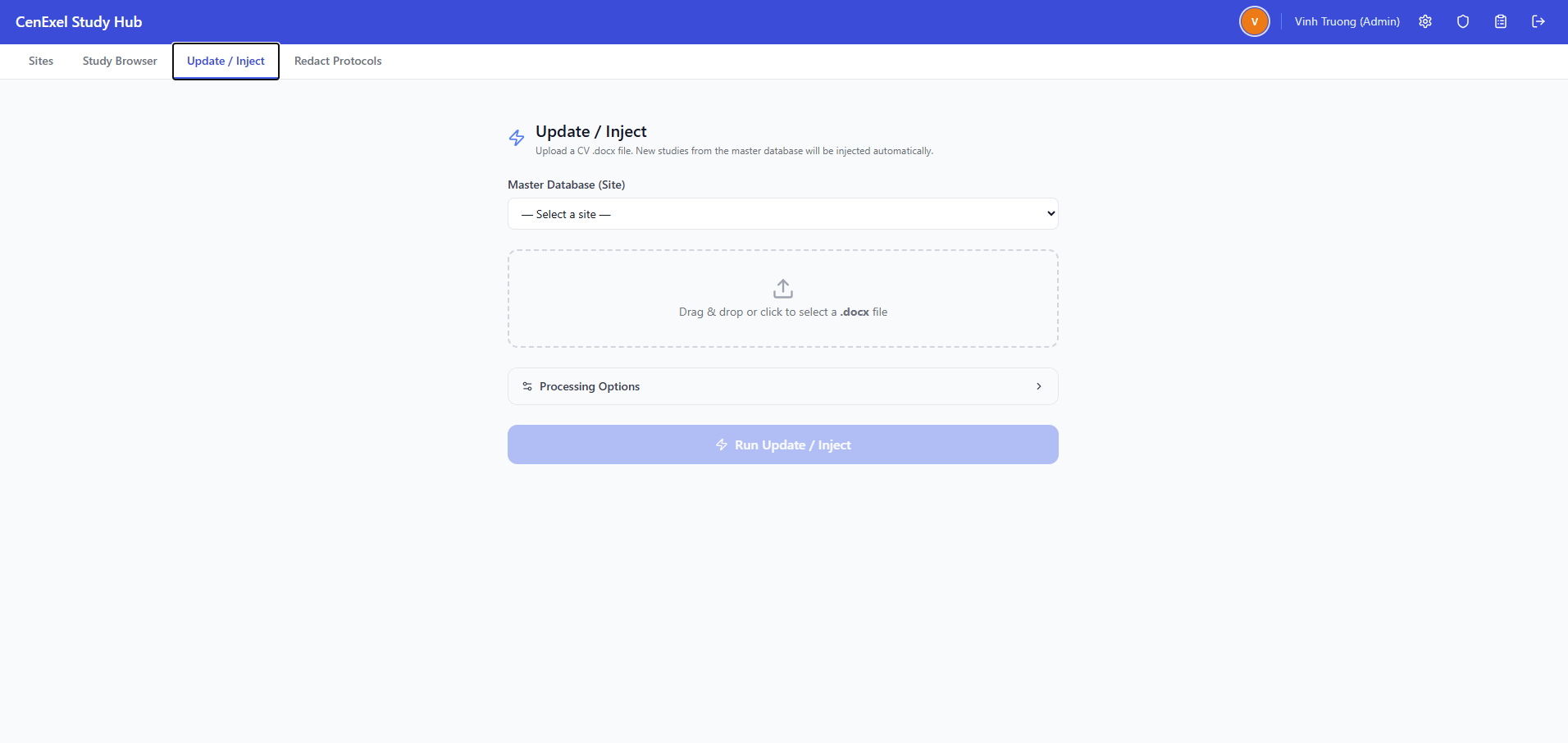
- Browser-based Update/Inject — uploads .docx and .xlsx, returns processed document
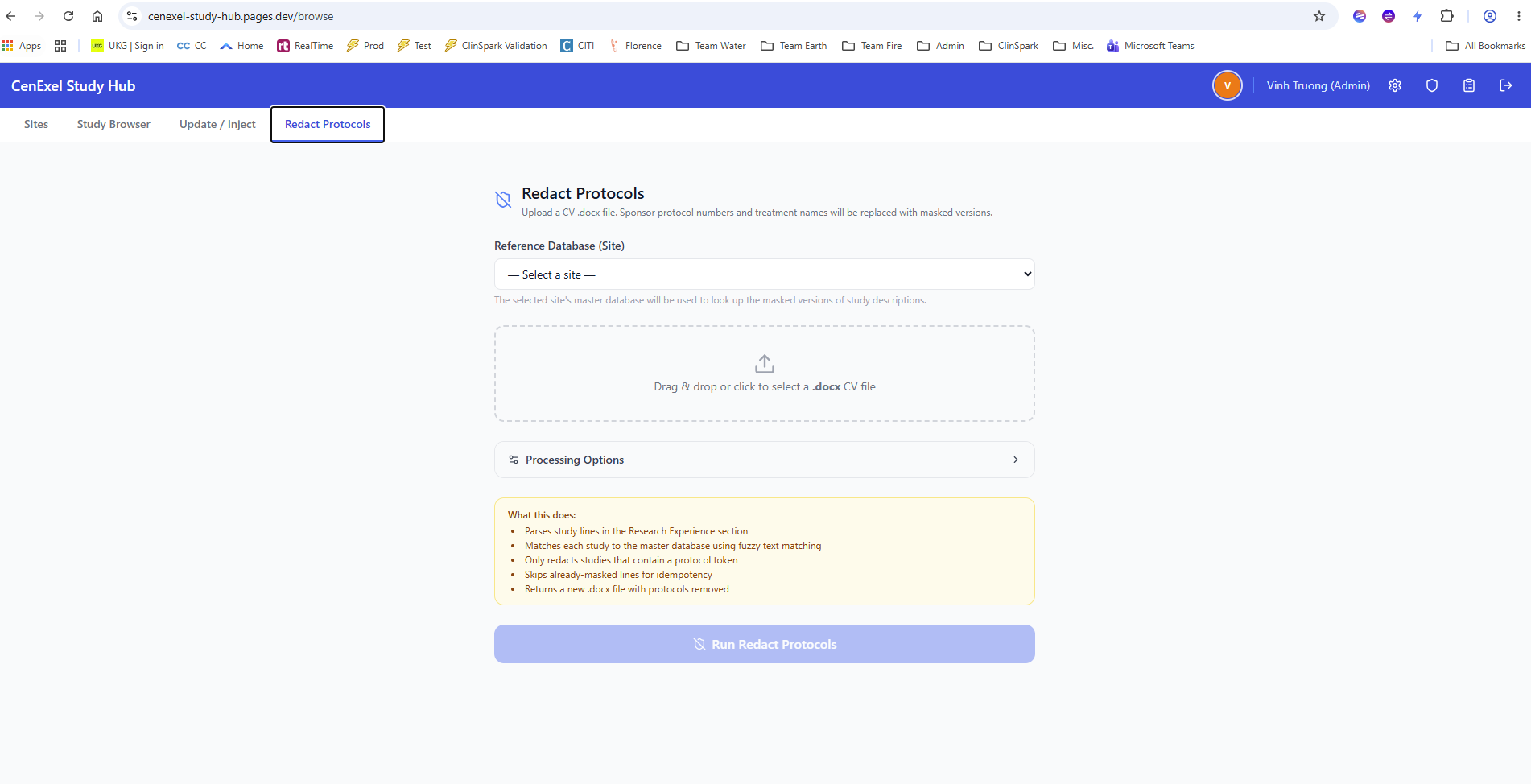
- Redact Protocols — server-side protocol detection and masking
- Parses Word documents using the same proven logic as the desktop app
- Preserves all original formatting in the returned .docx
Access Control & Security
- JWT-based authentication with access and refresh tokens
- PBKDF2-SHA256 password hashing with brute-force rate limiting
- Role-based tabs: Admin, Editor, Viewer with per-view permissions
- Site-level access: admins grant
vieworeditper user per site - Global IP rate limiting and per-user processing rate limits
Admin & Operations
- User CRUD, role assignment, and password reset
- Live presence bar showing active users (admin-only)
- Audit trail of every write action with user, timestamp, and changed values
- Rotating auto-backups plus on-demand manual backup/restore
- Forward-only schema migrations applied automatically on startup
Tech Stack
Python 3.11+
FastAPI
psycopg (async)
PostgreSQL (Neon)
React 18
TypeScript
Vite
TailwindCSS
Zustand
Cloudflare Pages
Render
Screenshots
Challenges & Solutions
- Server-side document processing: The desktop app's python-docx logic had to run safely on the server. I isolated the processing layer in FastAPI endpoints with strict input validation, rate limiting, and temporary file cleanup.
- Compressed study storage: Study descriptions can be lengthy. I implemented zlib compression on description fields before database storage, cutting row size significantly without sacrificing query performance.
- Role-based tab routing: Different roles see different views. I built a
TabRoutecomponent that checks role permissions and redirects unauthorized users to their first allowed view. - JWT refresh without flashing: Early attempts caused 401 → logout cascades. I carefully sequenced the theme sync and auth refresh effects so the app validates tokens before any authenticated API calls.
- Stateless backend design: Every request is fully stateless — no server-side sessions beyond JWT validation. This simplifies horizontal scaling and keeps the deployment on Render's free tier viable.
Outcomes & Impact
- Migrated a solo desktop tool into a collaborative web platform with zero client installation.
- Reduced per-CV processing time from 30–60 minutes to under 2 minutes via server-side document automation.
- Enabled real-time multi-user access to study databases with granular site-level permissions.
- Complete audit trail satisfies compliance requirements for clinical research environments.
- Successfully deployed for internal use with Cloudflare Pages (frontend) and Render (backend).
Lessons Learned
- Reusing the desktop app's parsing and processing logic saved weeks of development, but required careful sandboxing for server-side execution.
- Async PostgreSQL with psycopg v3 and connection pooling is essential for FastAPI — naive synchronous DB access quickly bottlenecks under concurrent users.
- JWT refresh logic in SPAs is subtle; the order of effect hooks and API interceptors matters enormously for avoiding logout cascades on app startup.
Future Improvements
- Batch document processing for multiple CVs at once.
- In-browser diff viewer comparing uploaded and processed documents.
- Email notifications for pending protocol redactions or audit alerts.
- Dark mode persistence synced across devices via user preferences API.